
Webflow to Sanity Migration with AI-Generated Bilingual Content for an Interior Architecture Studio
Overview
Migrated a Nordic interior architecture studio's portfolio site from Webflow to Sanity and Next.js, with AI-generated bilingual alt text, AI-completed Norwegian translation and a site built for AI search.
Who This Is For
Design, architecture and creative studios whose website is their portfolio, typically running on Webflow or a similar no-code platform. This case is most useful if:
- your site has outgrown its no-code platform
- a second language is bolted on through a translation plugin
- image alt text and SEO metadata are missing or English only
- you want to be found and described correctly by AI search and assistants
The Challenge
A leading Nordic interior architecture studio ran its portfolio site on Webflow, with Norwegian served through a translation plugin and content spread across several CMS collections.
The studio needed to move its projects, stories and media to a structured CMS without losing its URLs, its Norwegian content or its search visibility, and with a site ready for AI-driven discovery.
Our Approach
We migrated the content to Sanity, rebuilt the site on Next.js, and used AI to close the gaps a migration usually leaves behind.
- Scripted migration: every Webflow CMS collection exported through the Webflow API, images moved to Sanity, rich text converted to Portable Text, and categories mapped, with re-runnable, deterministic imports.
- Bilingual by field: English and Norwegian held side by side in every field. Human-reviewed Norwegian was imported from the old translation plugin, and Claude translated the remaining gaps.
- AI-generated alt text: Claude vision writes alt text in both languages for every image, triggered automatically by a webhook whenever an editor uploads a new one.
- Search and AI visibility: hreflang and canonical tags, a bilingual sitemap, structured data for the studio, its projects, articles, services and FAQs, and crawler rules that block AI training bots while allowing AI answer engines.
- Continuity: 28 permanent redirects plus pattern rules, so old Webflow and Norwegian URLs still resolve.
- An editorial model: 8 content types, drag-to-reorder projects, featured-project selection, side-by-side preview and an SEO pane inside the CMS.
Impact
Bilingual and accessible by default. Every image has alt text in English and Norwegian, generated by AI the moment it is uploaded, rather than left as a backlog.
Nothing lost in the move. Content, Norwegian translations and old URLs all carried across, with redirects protecting existing search rankings.
Ready for AI search. Structured data and deliberate crawler rules mean AI answer engines can describe the studio's work accurately, while its content is not handed over for model training.
A portfolio site is only as good as its least-described image. AI makes the descriptions complete; structure makes them findable.
Built and delivered by ECM.DEV. Client details are withheld at the client's request.
Topics
Delivered Norwegian-to-English translation and QA review of SpareBank 1 Markets' website content, covering their research, corporate finance and capital markets service lines.
Built a data-driven content and channel strategy for Econa, Norway's professional association for economists and business graduates, building on an already-delivered website redesign to reduce member churn.
Built a CRM-connected advertising sales platform for a leading Nordic digital marketplace. Connected audience data, targeting options, advertising formats, pricing and sales contacts into a single self-service portal for advertisers and media agencies, replacing a fragmented sales experience with a repeatable path from research to qualified inquiry.
The Content Infrastructure Imperative
Why AI Amplifies Every Flaw in Your Content Operating System
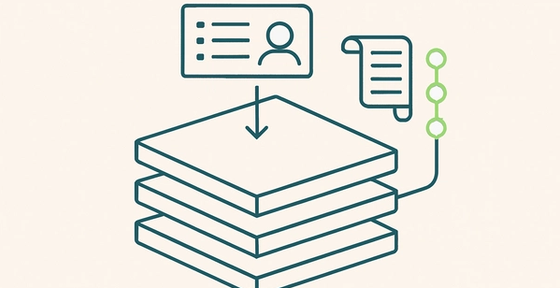
What agents need to operate your content
The article discusses the infrastructure and capabilities required for AI agents to effectively manage content operations in enterprise environments, focusing on the practical requirements developers must understand when building systems that automate content workflows.
Platform or Setup Check
Find out whether your CMS problems come from the platform or from how it was set up.